DreamBooth training example for SANA
DreamBooth is a method to personalize text2image models like stable diffusion given just a few (3~5) images of a subject.
The train_dreambooth_lora_sana.py script shows how to implement the training procedure with LoRA and adapt it for SANA.
This will also allow us to push the trained model parameters to the Hugging Face Hub platform.
Running locally with PyTorch
Installing the dependencies
Before running the scripts, make sure to install the library's training dependencies:
Important
To make sure you can successfully run the latest versions of the example scripts, we highly recommend installing from source and keeping the install up to date as we update the example scripts frequently and install some example-specific requirements. To do this, execute the following steps in a new virtual environment:
And initialize an 🤗Accelerate environment with:
Or for a default accelerate configuration without answering questions about your environment
Or if your environment doesn't support an interactive shell (e.g., a notebook)
When running accelerate config, if we specify torch compile mode to True there can be dramatic speedups.
Note also that we use PEFT library as backend for LoRA training, make sure to have peft>=0.14.0 installed in your environment.
Dog toy example
Now let's get our dataset. For this example we will use some dog images: https://huggingface.co/datasets/diffusers/dog-example.
Let's first download it locally:
from huggingface_hub import snapshot_download

local_dir = "data/dreambooth/dog"
snapshot_download(
    "diffusers/dog-example",
    local_dir=local_dir, repo_type="dataset",
    ignore_patterns=".gitattributes",
)
This will also allow us to push the trained LoRA parameters to the Hugging Face Hub platform.
Here is the Model Card for you to choose the desired pre-trained models and set it to MODEL_NAME.
Now, we can launch training using file here:
or you can run it locally:
export MODEL_NAME="Efficient-Large-Model/Sana_1600M_1024px_BF16_diffusers"
export INSTANCE_DIR="data/dreambooth/dog"
export OUTPUT_DIR="trained-sana-lora"

accelerate launch --num_processes 8 --main_process_port 29500 --gpu_ids 0,1,2,3 \
  train_scripts/train_dreambooth_lora_sana.py \
  --pretrained_model_name_or_path=$MODEL_NAME  \
  --instance_data_dir=$INSTANCE_DIR \
  --output_dir=$OUTPUT_DIR \
  --mixed_precision="bf16" \
  --instance_prompt="a photo of sks dog" \
  --resolution=1024 \
  --train_batch_size=1 \
  --gradient_accumulation_steps=4 \
  --use_8bit_adam \
  --learning_rate=1e-4 \
  --report_to="wandb" \
  --lr_scheduler="constant" \
  --lr_warmup_steps=0 \
  --max_train_steps=500 \
  --validation_prompt="A photo of sks dog in a pond, yarn art style" \
  --validation_epochs=25 \
  --seed="0" \
  --push_to_hub
For using push_to_hub, make you're logged into your Hugging Face account:
To better track our training experiments, we're using the following flags in the command above:
report_to="wandbwill ensure the training runs are tracked on Weights and Biases. To use it, be sure to installwandbwithpip install wandb. Don't forget to callwandb login <your_api_key>before training if you haven't done it before.validation_promptandvalidation_epochsto allow the script to do a few validation inference runs. This allows us to qualitatively check if the training is progressing as expected.
Notes
Additionally, we welcome you to explore the following CLI arguments:
--lora_layers: The transformer modules to apply LoRA training on. Please specify the layers in a comma seperated. E.g. - "to_k,to_q,to_v" will result in lora training of attention layers only.--complex_human_instruction: Instructions for complex human attention as shown in here.--max_sequence_length: Maximum sequence length to use for text embeddings.
We provide several options for optimizing memory optimization:
--offload: When enabled, we will offload the text encoder and VAE to CPU, when they are not used.cache_latents: When enabled, we will pre-compute the latents from the input images with the VAE and remove the VAE from memory once done.--use_8bit_adam: When enabled, we will use the 8bit version of AdamW provided by thebitsandbyteslibrary.
Refer to the official documentation of the SanaPipeline to know more about the models available under the SANA family and their preferred dtypes during inference.
Samples
We show some samples during Sana-LoRA fine-tuning process below.
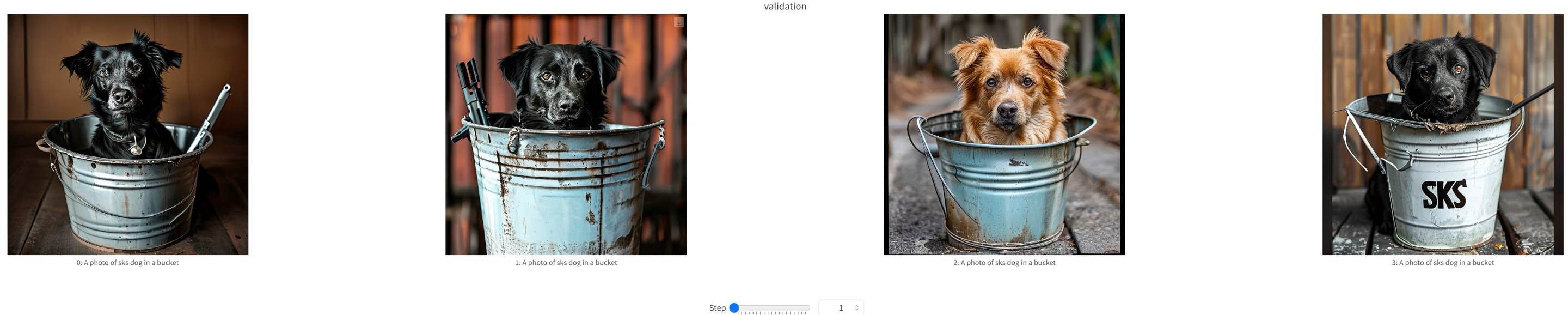
training samples at step=0
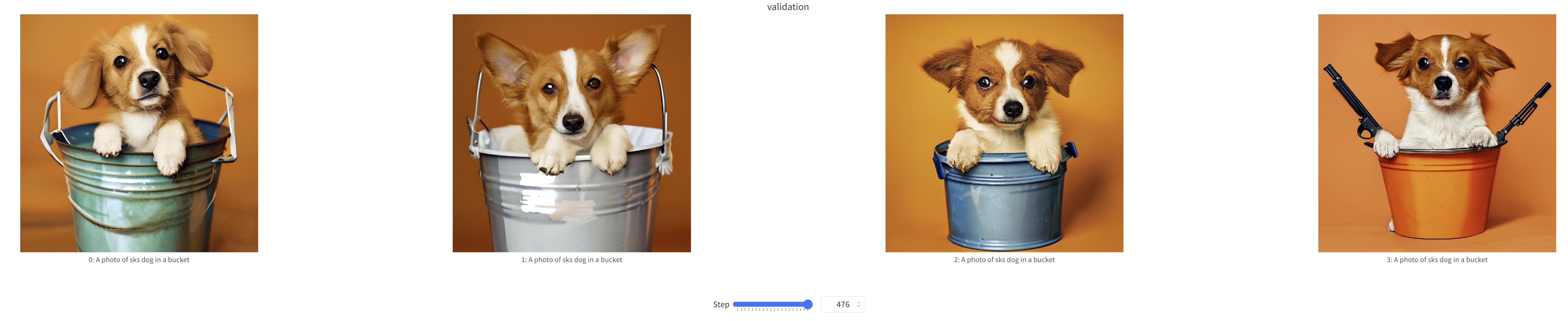
training samples at step=500