New Scenes and Videos#
Verification scope: this page was checked only with the released kettlebell inputs, including a copy repackaged under new names. The two walkthroughs begin after video generation. For a new case, GRAIL’s documented route starts with an authored 3D scene and a generated video. See the glossary for body, camera and contact terminology.
Scene prerequisites#
Select or create an object mesh. Establish its physical dimensions. The static-terrain path accepts the generator’s original polygon faces with
--static-terrain. For manipulation, triangulate the OBJ before recording contacts and keep those exact bytes through tracking.Use robot-centric human video generation to place the character and object, settle the object, and render the scene in Blender. This yields the camera, object scale and initial pose, masks and metric depth in the same coordinate frame. An image-to-video model generates the RGB motion from the scene render. The released examples include these outputs.
Inspect the generated video against frame zero. Reconstruction estimates the moving human and object poses, tracks masks and estimates later depth. Its contact and support review still uses the actual video. If the generator changed which way the handle faces, correct or replace the case before passing it to G1.
Example case layout#
The released input root is examples/g1-2dhoi/kettlebell/generation/. Its sequence is ComAsset/kettle_bell/g1_kettlebell. These paths are relative to that root.
videos_kling/ComAsset/kettle_bell/g1_kettlebell.mp4
asset_renders/ComAsset/kettle_bell/g1_kettlebell.png
mesh/ComAsset/kettle_bell/model.obj
mesh/ComAsset/kettle_bell/texture.mtl
mesh/ComAsset/kettle_bell/texture.png
cameras/ComAsset/kettle_bell/g1_kettlebell.pickle
foundation_pose/ComAsset/kettle_bell/g1_kettlebell/cam_K.txt
foundation_pose/ComAsset/kettle_bell/g1_kettlebell/first_frame_pose.pickle
foundation_pose/ComAsset/kettle_bell/g1_kettlebell/masks/000000.png
foundation_pose/ComAsset/kettle_bell/g1_kettlebell/human_masks/000000.png
depth_maps/ComAsset/kettle_bell/g1_kettlebell/000000.png
GPU container, from the checkout root. This CPU check takes a few seconds. It prints the resolved video and OBJ, checks the fitter’s frame-zero camera convention, counts original triangular faces and usable background depth pixels, and overlays projected CAD (magenta) on the object mask (green). Use camera pickles you created or trust.
source /root/miniconda3/etc/profile.d/conda.sh
conda activate grail
python scripts/standalone/check_capture.py examples/g1-2dhoi/kettlebell/generation \
  ComAsset/kettle_bell/g1_kettlebell /workspace/runs/frame-zero.jpg
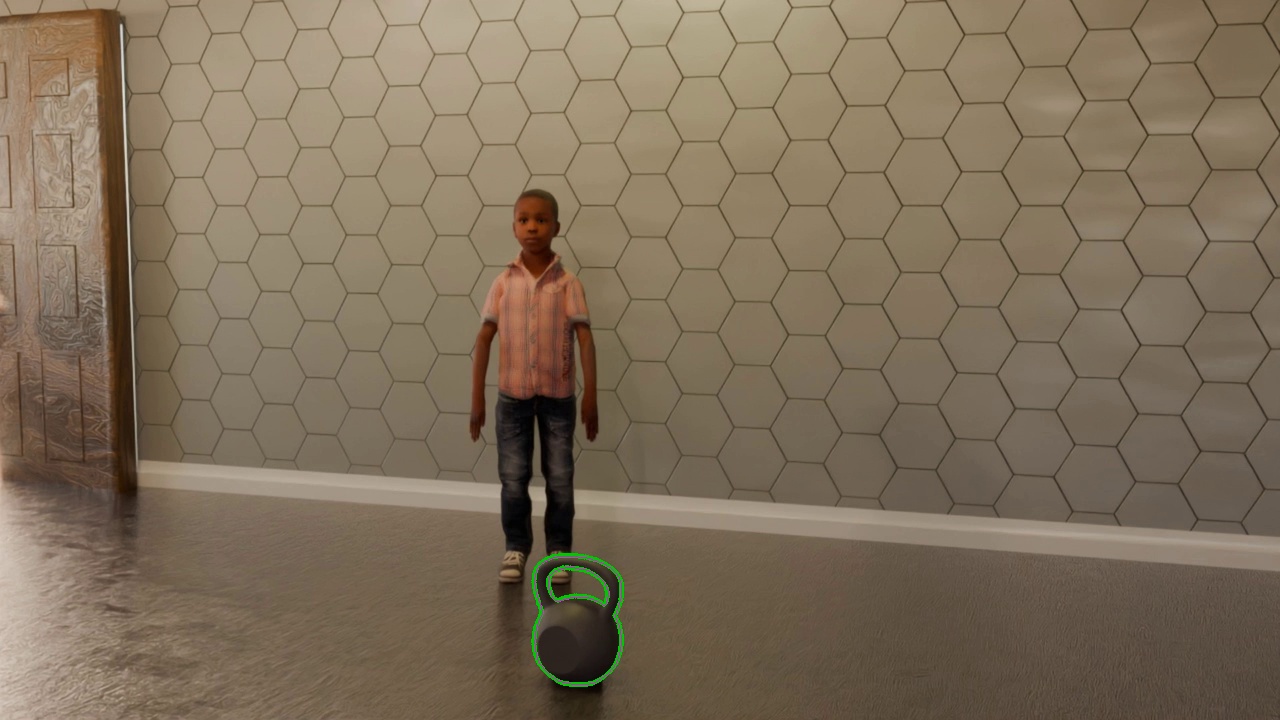
Frame 0 only. The magenta CAD outline and green mask show the single-frame calibration check.
Expect 1,280 × 720, 7,084 triangles, a focal length of 1,468.60 pixels and 882,008 usable background pixels. The outlines should follow the outside of the bell and the handle opening. A good outline checks this projection only. During fitting, read the depth cache’s gt_calibration.frames entries. A frame marked insufficient_valid_background had fewer than 100 valid background samples after also applying the predictions’ validity mask. Inspect depth registration and masks before relying on metric scale.
For start/end pickup outputs, select the full video stem and the shorter conditioning stem separately. For example, a repackaged lift with video Lab/weight/lift01-start-end used --scene-id lift01. The checker printed both resolved paths and 7,084 triangles. A same-name clip needs no override. For a fresh render, first use the pre-provider check.
Frame-zero camera and depth#
In the generation camera pickle, R rotates from Blender camera coordinates to the world and t is the camera position in world metres. The pose pickle stores those as cam_R and cam_t. It supplies frame_width, frame_height and one focal_length in pixels. The fitter centres the principal point at (width/2, height/2) and uses the same focal length for both axes. Compare both focal entries in cam_K.txt and both pickles before using an overlay. The original OBJ is scaled by obj_scale, rotated by obj_R and translated by obj_t into world coordinates.
The frame-zero PNG stores depth in millimetres. Human and object foreground do not supply static background scale. At least 100 registered background samples between 0.1 and 65 metres are necessary; per-frame prediction validity can reduce that count during fitting.
Scene inputs by stage#
The released kettlebell tutorial uses fixed example paths. For your own input, follow the case-specific reconstruction request, G1 conversion request and case-specific handoff. Carry the same case root, input sequence and robot output through them.
Stage |
What should identify your case |
|---|---|
Reconstruction |
For a manipulation case, copy |
G1 retargeting |
Name that selected fit and its source-specific |
Optional tracking |
Set |
Real footage#
There is no verified raw-phone-video-to-G1 walkthrough. For a fixed-camera recording you would have to supply intrinsics consistent with the fitter, a camera pose relative to the measured floor, a metric triangulated mesh and starting pose, registered frame-zero background depth, and human and object masks on the original video clock. A moving or digitally stabilized camera also needs a consistent camera model over time. The example tools do not recover that complete scene from arbitrary RGB footage.
The projection check reads an already prepared scene. It does not calibrate a phone or generate its pose files. A worked real-footage tutorial still needs an independent calibrated recording, a verified way to write its scene files, and a reviewed reconstruction and G1 conversion of that recording.